The Statistics page gives you an overview of courier and hub efficiency for the chosen period and the capability to export it as a report.

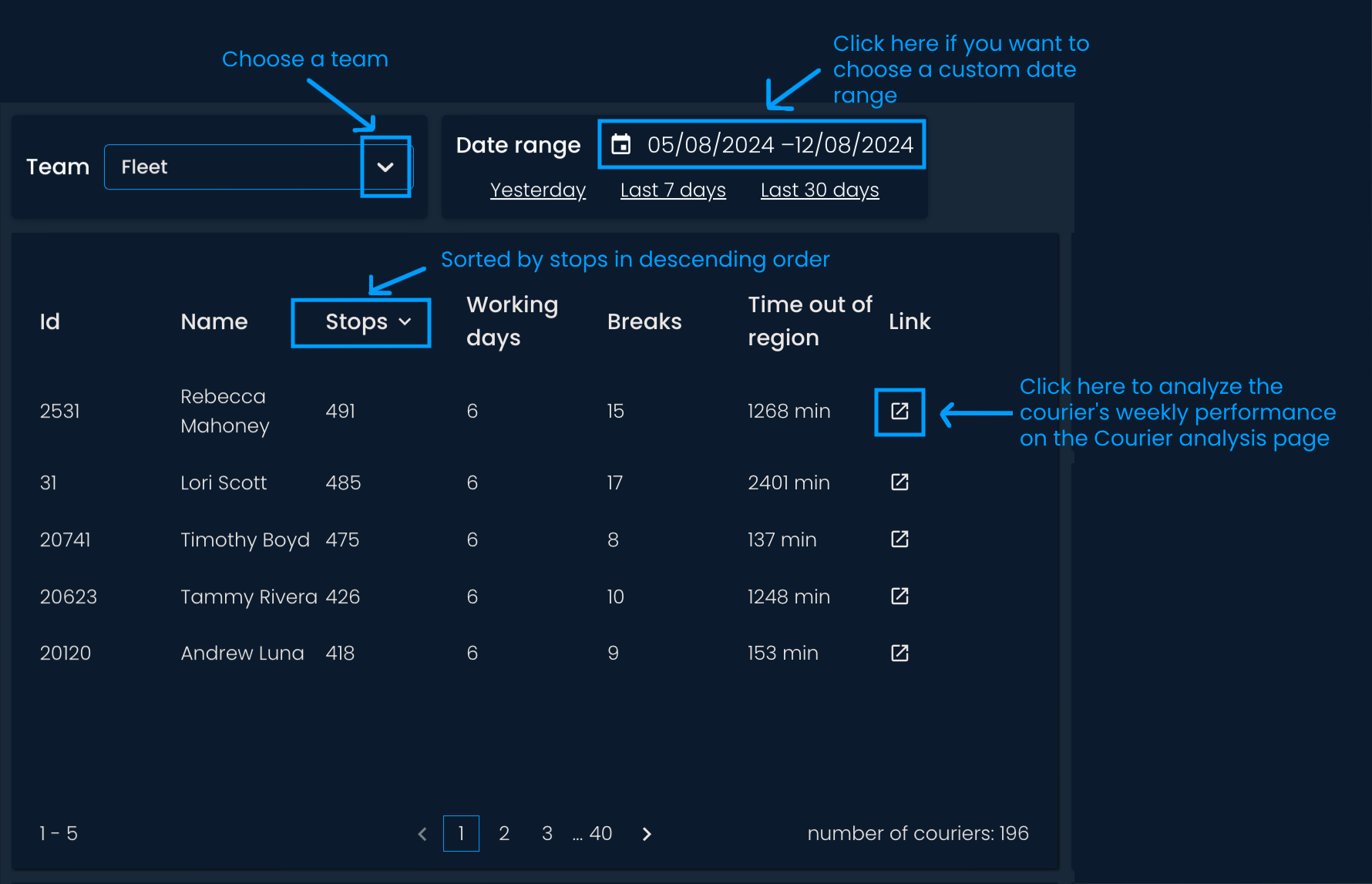
The table below shows the number of stops, working days, breaks, and time spent outside the delivery region for each courier within the selected date range. You can sort the table by each metric to identify extremes. Click on the column label of the metric you’re interested in, and all the data will be sorted in ascending or descending order.
To further analyze a specific courier's productivity, use the quick link next to the courier's name. This link will take you to the Courier analysis page, where you can analyze the courier's productivity during a chosen week.
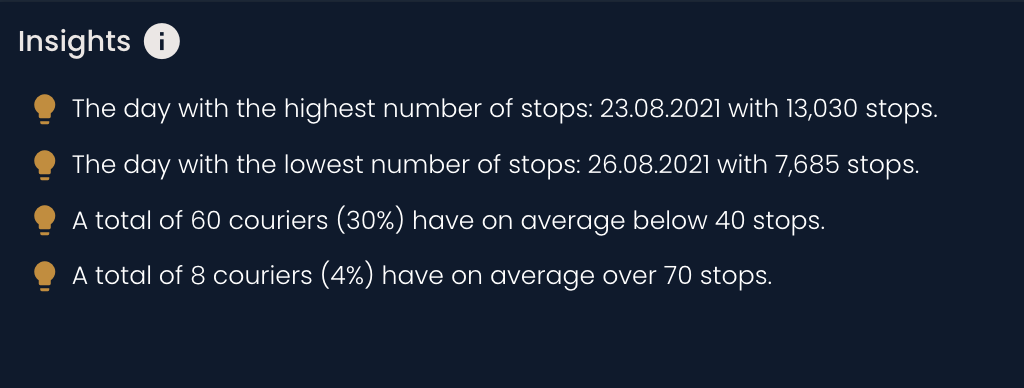
Below the total and average stops per day and courier, you will find the insights section. This section should help you quickly gain insights into the team or hub performance. For example, you can see the days with the lowest and highest number of stops and how many couriers are averaging below or above a certain number of stops.
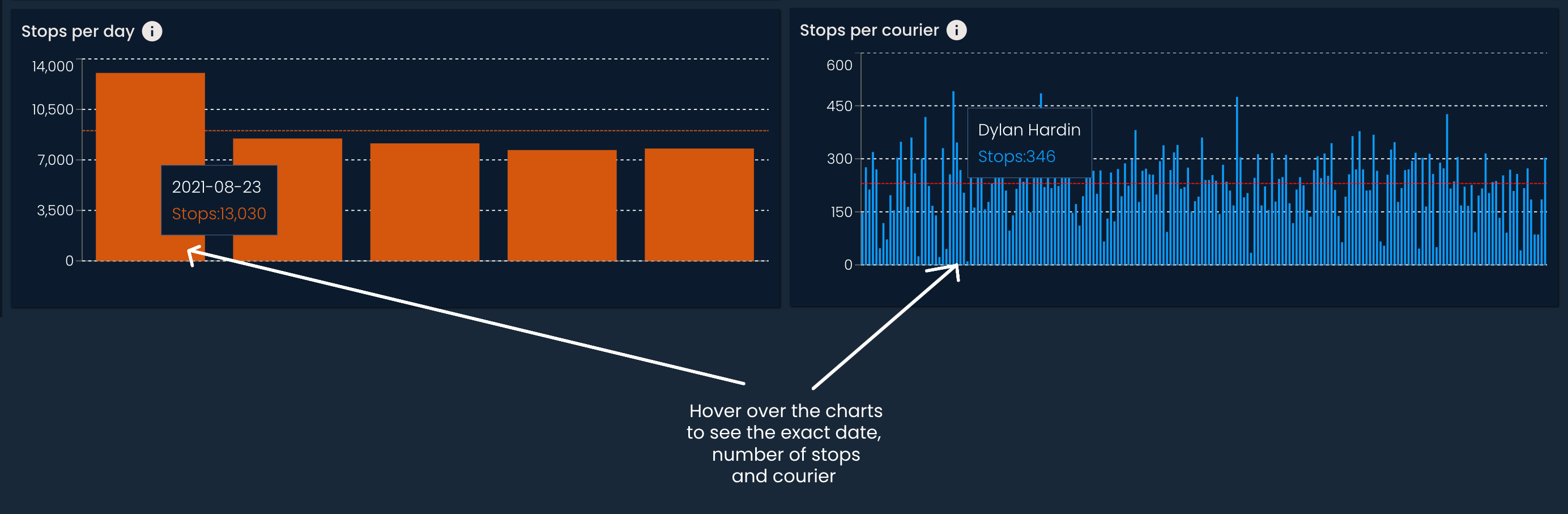
The charts below make it easy to spot extremes in efficiency and performance, so you can investigate further if needed:
Stops per day: The number of stops per day within the chosen hub and date range
Stops per courier: The number of stops per courier within the chosen hub and date range
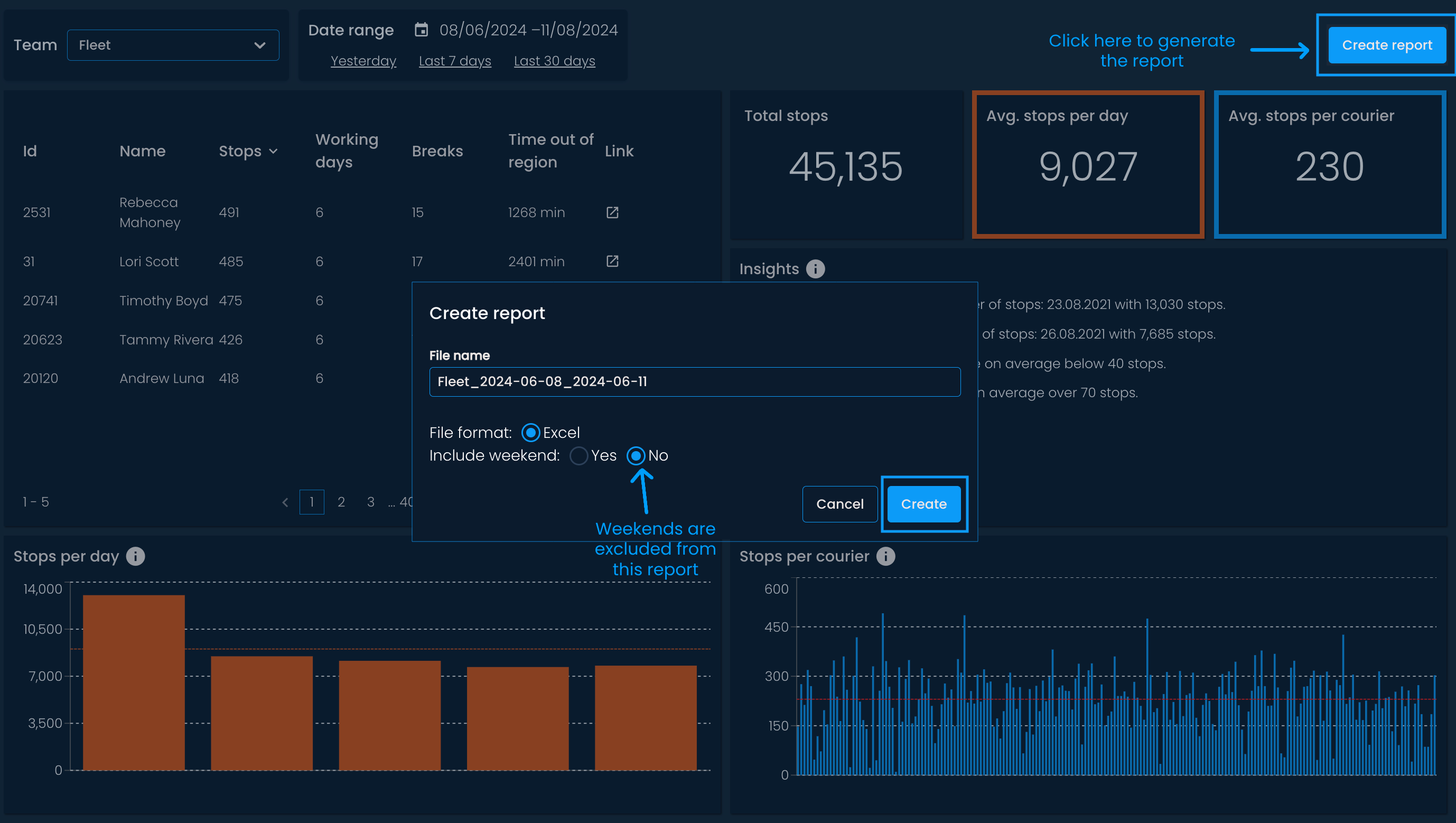
You can also export the data as an Excel report. Click on the Create report button at the top right corner. The file name will be automatically generated and contain the team name and the start and end dates of the chosen period. But you can rename the report if needed. Finally, choose if you want to include weekends in the calculations, and click Create.
The report will be automatically downloaded and can be found in your browser's download history or designated download folder.
The generated report contains the following metrics per courier:
Number of stops related to pick-ups
Number of stops related to drop-offs
Total number of stops (pick-ups & drop-offs)
Number of pick-ups
Number of drop-offs
Number of working days
Total driving distance
Average number of stops
Average number of delivered shipments
Average driving distance
Driving distance from the first to last stop (does not include the distance it took to get from the hub to the first stop, i.e., without stem in and out)
Average driving distance from the first to last stop
