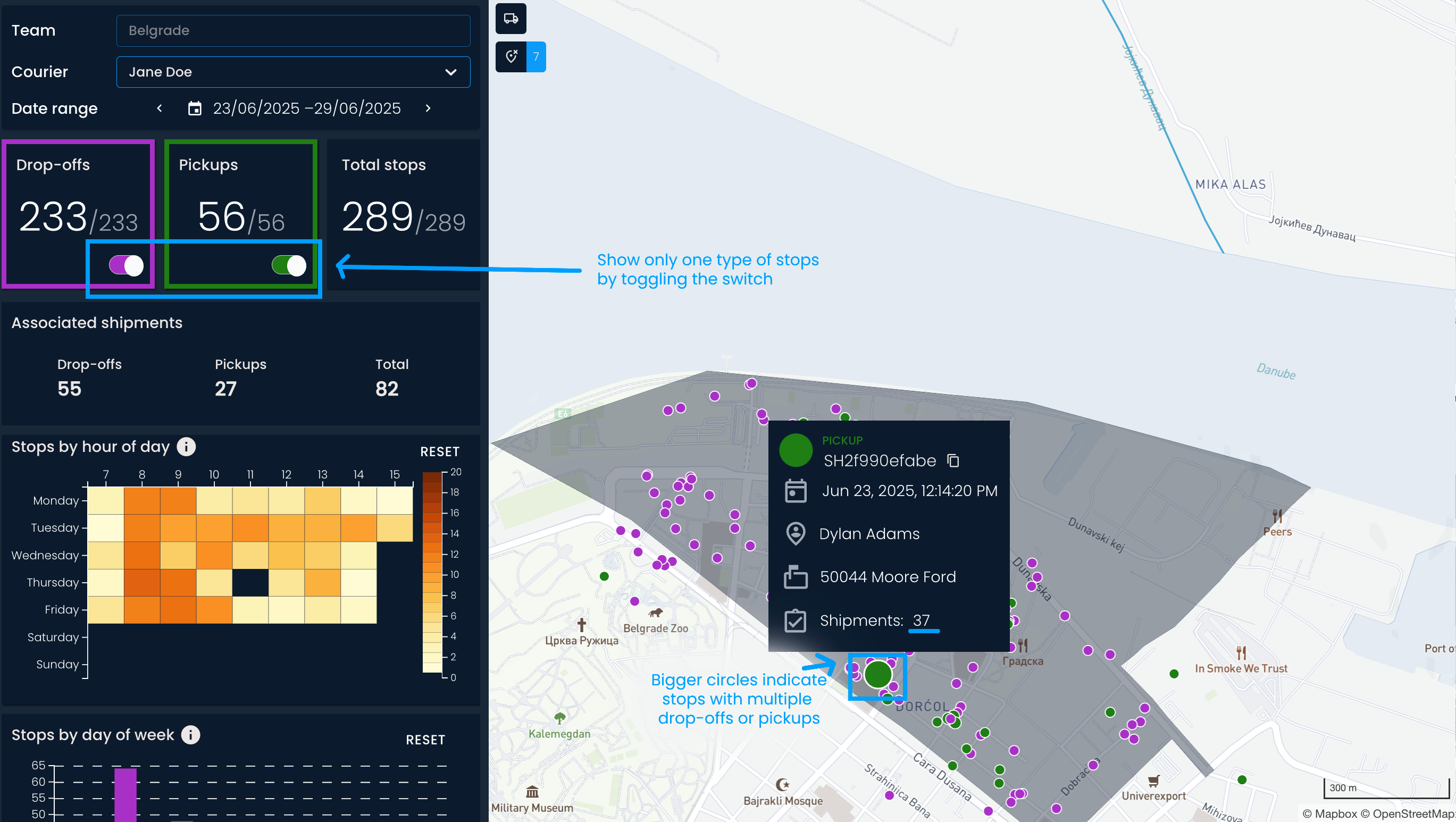
The Courier analysis page offers an overview of courier performance within one week.
First, choose the team, courier, and date range you’re interested in.


Below are the numbers of drop-offs, pickups, and total stops for the week. That section is followed by the total number of shipments linked to each stop, and categorized by stop type (number of shipments dropped off and picked up).
All the stops are shown on the map on the right side of the screen, allowing you to see precisely where each stop occurred. Stops with multiple drop-offs or pickups are shown as bigger circles. You can also click on each drop-off and pickup for further details.
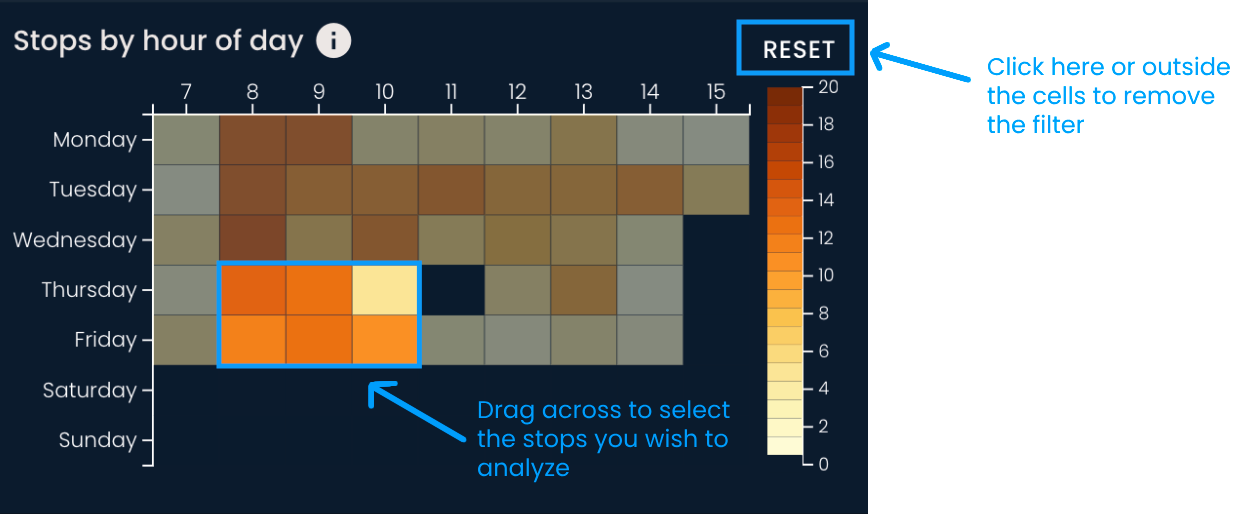
Stops by the hour of the day
The heatmap provides insights into courier activity throughout the day. Each cell represents a number of stops for a certain day and hour. Darker shades indicate a larger number of stops.
This can help you quickly identify periods when a courier is most productive or overloaded with work.
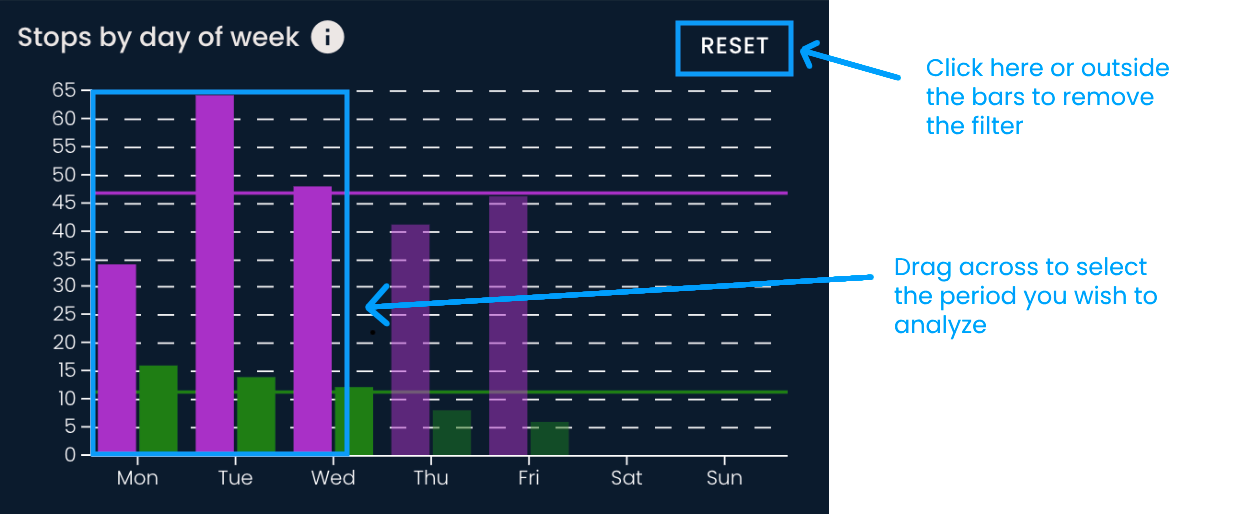
Stops by day of the week
The bar chart shows the daily distribution of pickups and drop-offs for the selected courier and date range. The average is shown as a thick purple or green line.
This chart can help you spot trends and any deviations. Like the previous example, you can select a part of the chart you’re interested in and filter the data.
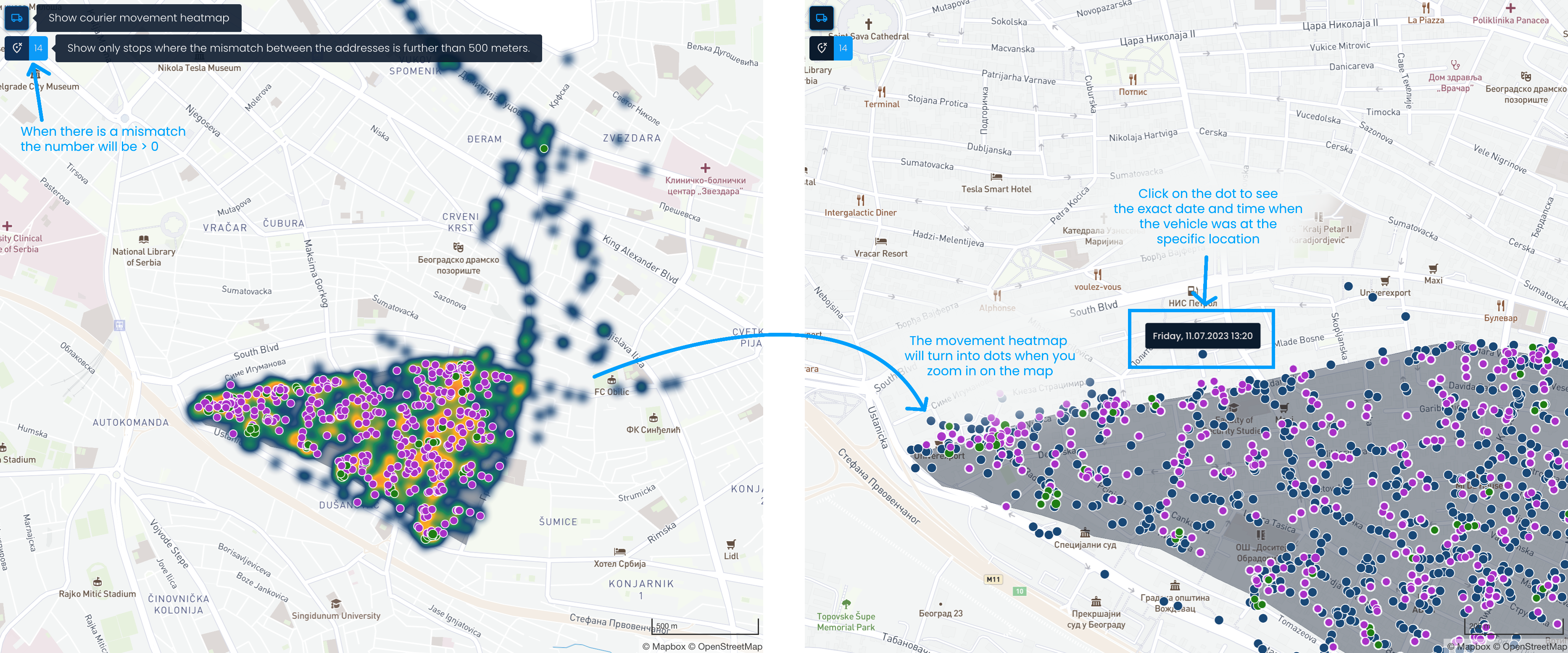
The courier's or vehicle's movement can be shown on the map, significantly shortening the analysis time.
Click on the Show courier movement heatmap button. The movement data is visualized as a heatmap, with orange and red shades indicating locations where the courier has spent the most time.
After zooming in, the heatmap will change to show individual dots. Each dot represents the location of the courier or vehicle. You can click on the dots to view the specific date and time when the courier was at that location.
You can also highlight stops where the distance between the expected address and where the courier marked the drop-off or pickup is greater than 500 meters. To do so, click the button below the movement heatmap.
The reasons for such stops can vary. For example, they could be due to geocoding issues or the recipient requesting that the parcel be delivered to another location.