Access the Delivery plan tracking page.
If the delivery is still in progress, you can track the courier’s performance in real-time.
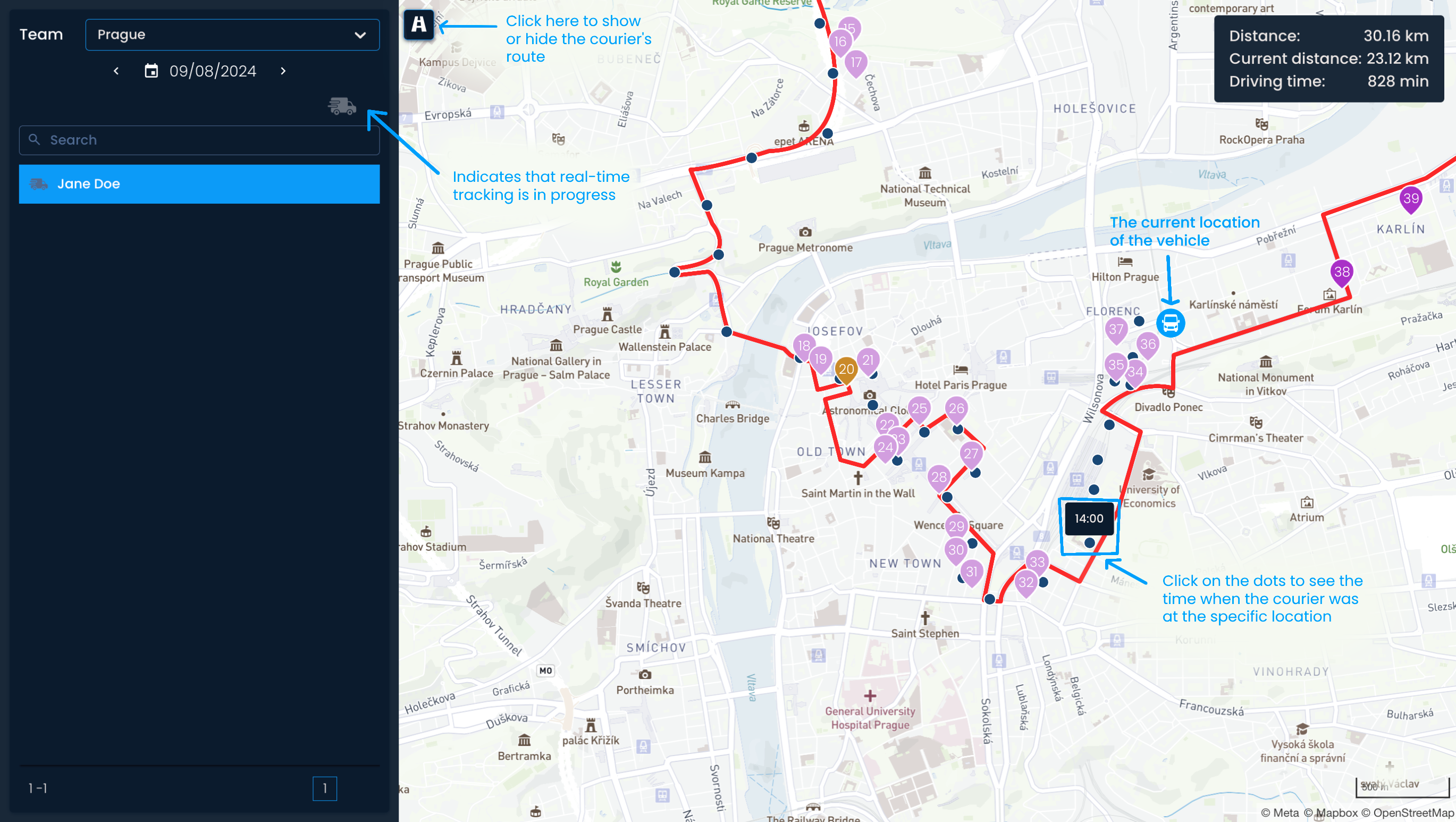
To start, click on the plan you want to track. You’ll be able to see:
The current location of the vehicle
The courier’s route, visualized as dots with time stamps for each location
Assigned shipments, presented as clickable pins on the map
The planned route, visualized as a red line
The planned total distance, the current distance, and the driving time
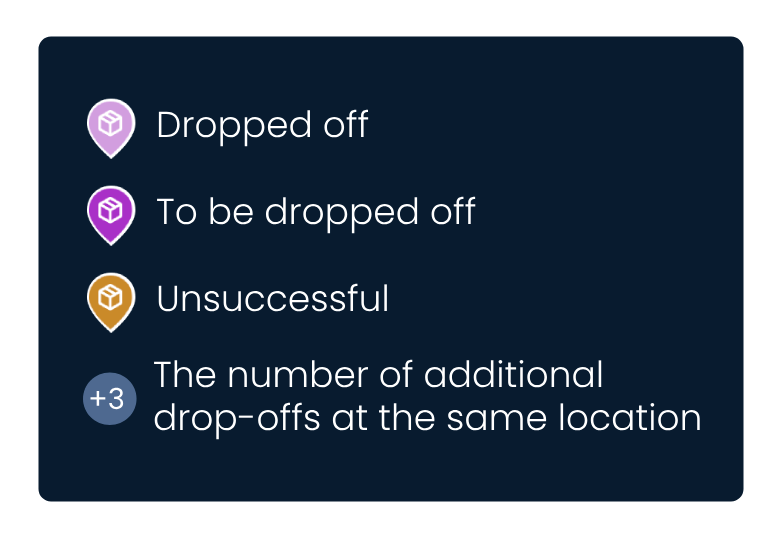
The shipment pins can look different based on their status and number:
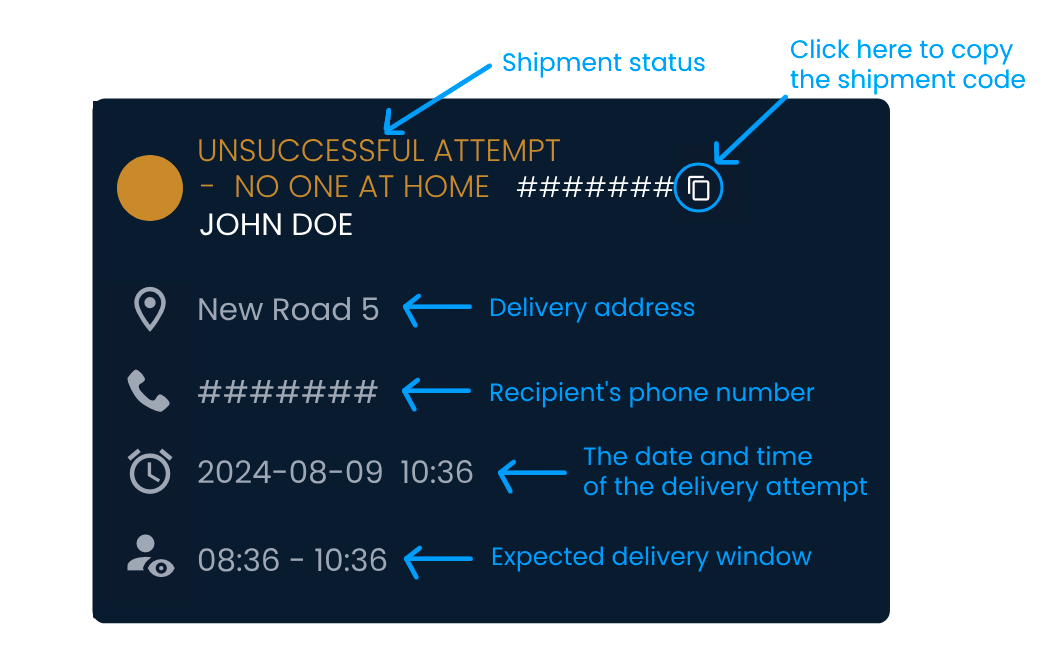
You can click on each pin to see more information about the shipment.

After all deliveries are complete, you can assess the success of the delivery plan, similar to the previous example.
Access the Delivery plan tracking page and click on the plan you wish to assess.
Look at the top-right corner to check for a difference between the planned distance and the actual distance covered. If there is a difference, compare the courier's planned route with the actual route to identify where the deviation occurred and investigate further.
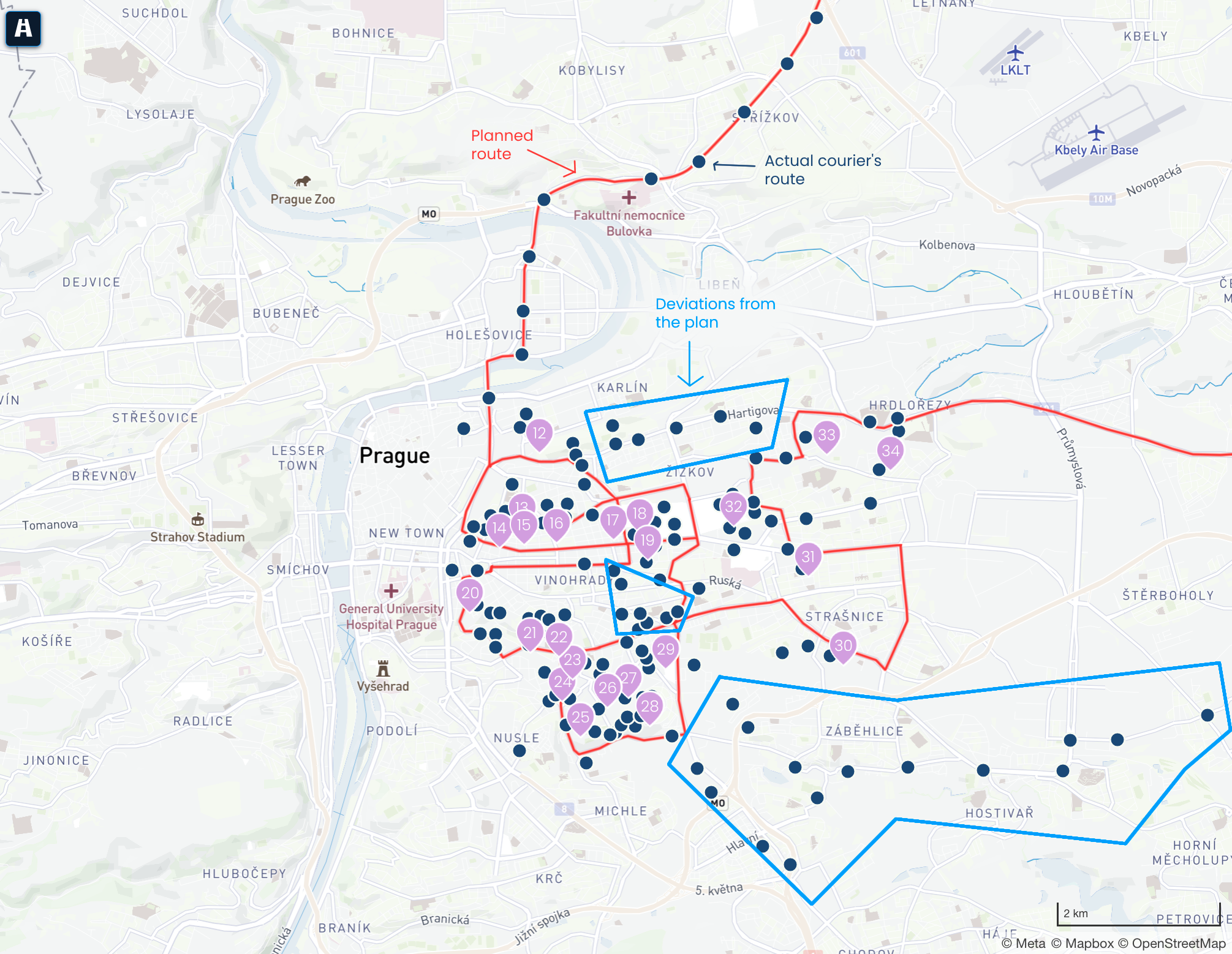
Different pins indicate the status of shipments. If a shipment has yet to be delivered or has been marked as an unsuccessful attempt, you can click on it to see more information.
