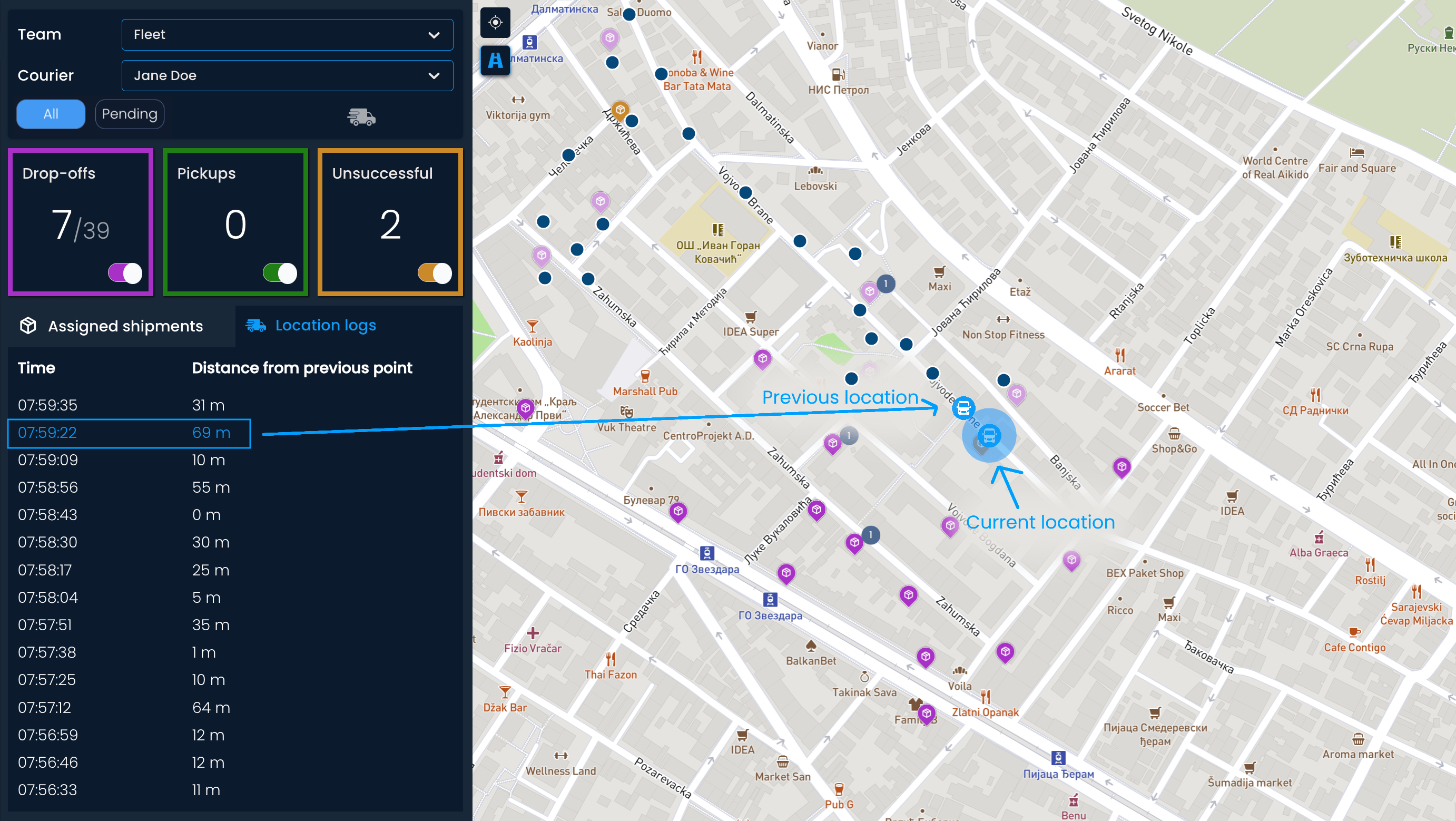
On the Real-time tracking page, you can monitor delivery processes in real time while tracking vehicle movement and shipments’ status in one place.
At the top, you can see some basic progress information, such as the current and planned number of drop-offs, pickups, and unsuccessful attempts.
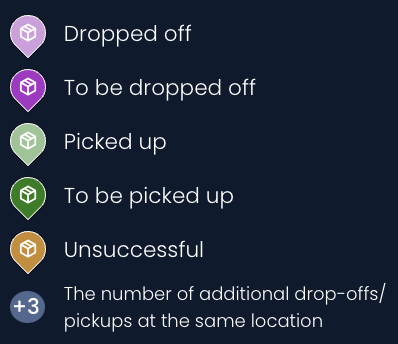
All shipments are shown on the map on the right side of the screen. The shipment pins can look different based on their status and number:

You can click on each pin to see more information about the shipment.
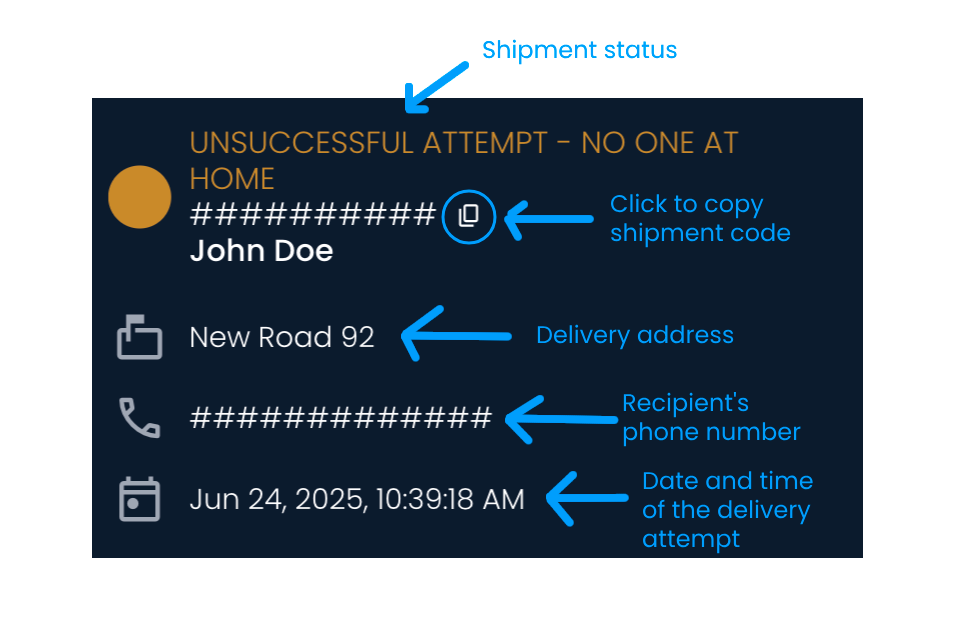
In the Assigned shipments section, you will see a list of all shipments assigned to the courier. The shipments will be sorted by the time their status changed, placing the earliest delivered, picked up, or unsuccessful shipments at the top.
You can find a specific shipment by entering the shipment code, the recipient’s name, or the delivery address in the search bar. If you click on the pin, the map will adjust so that the specific shipment is in the center of the screen and zoomed in.
Monitoring delivery processes would be incomplete without the context of the courier or vehicle location.
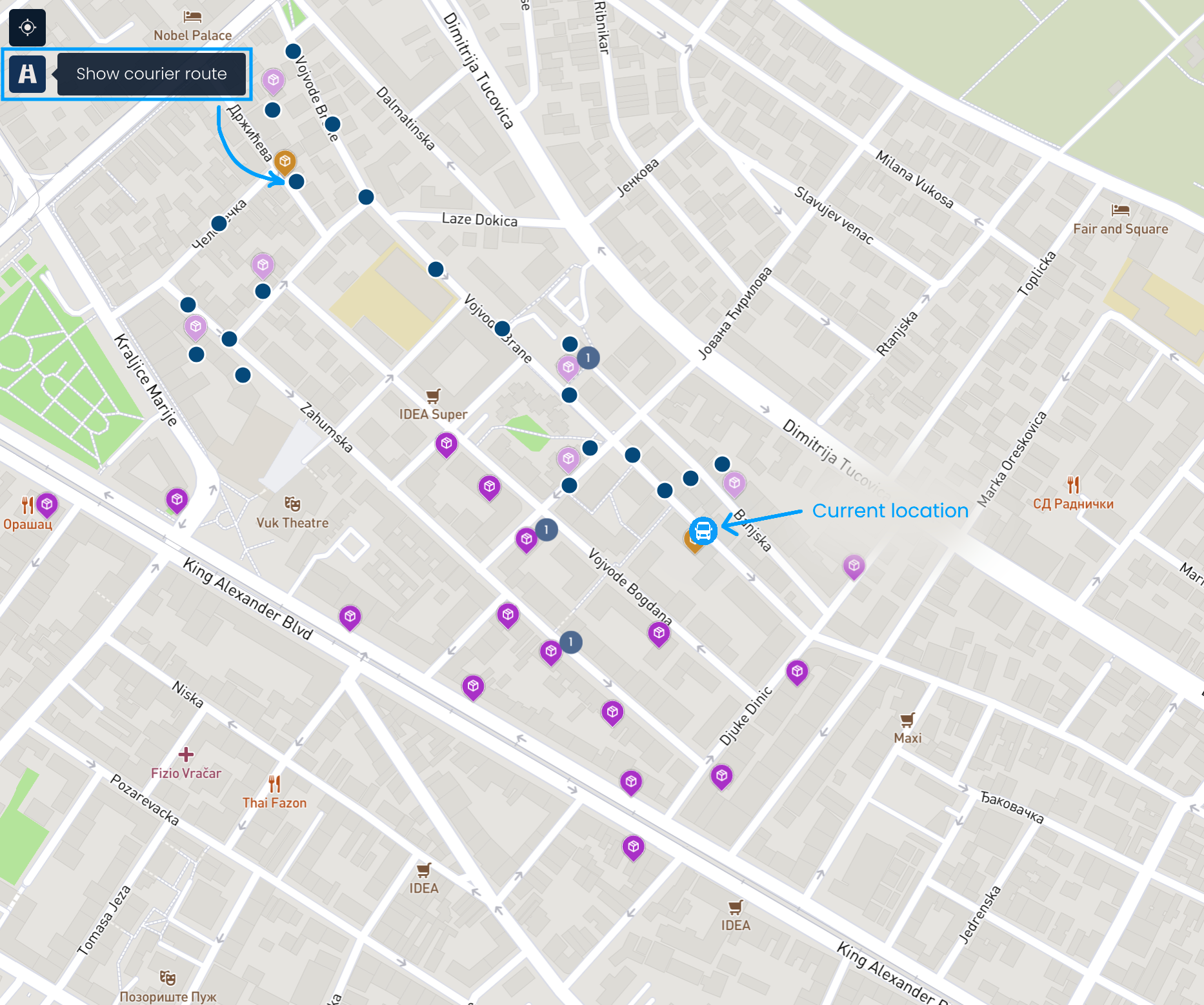
To see where the courier is, click the Show courier current location button. You can view previous movements by clicking the Show courier route button. The route is displayed as dots, with each dot representing a previously visited location. Clicking on the dots allows you to view the time of each visit.
Or use the Location logs, which show the time of visit and distance from the previous point in meters. When you hover over the logs, a van icon appears over the corresponding locations. Clicking on a log zooms the map in on that location.