Generating location suggestions based on POIs lets you assess their potential. This feature helps you evaluate partnerships and identify ideal locations when building a network from scratch or expanding.
On the Geospatial analysis dashboard, click Add new analysis and choose Area analysis.
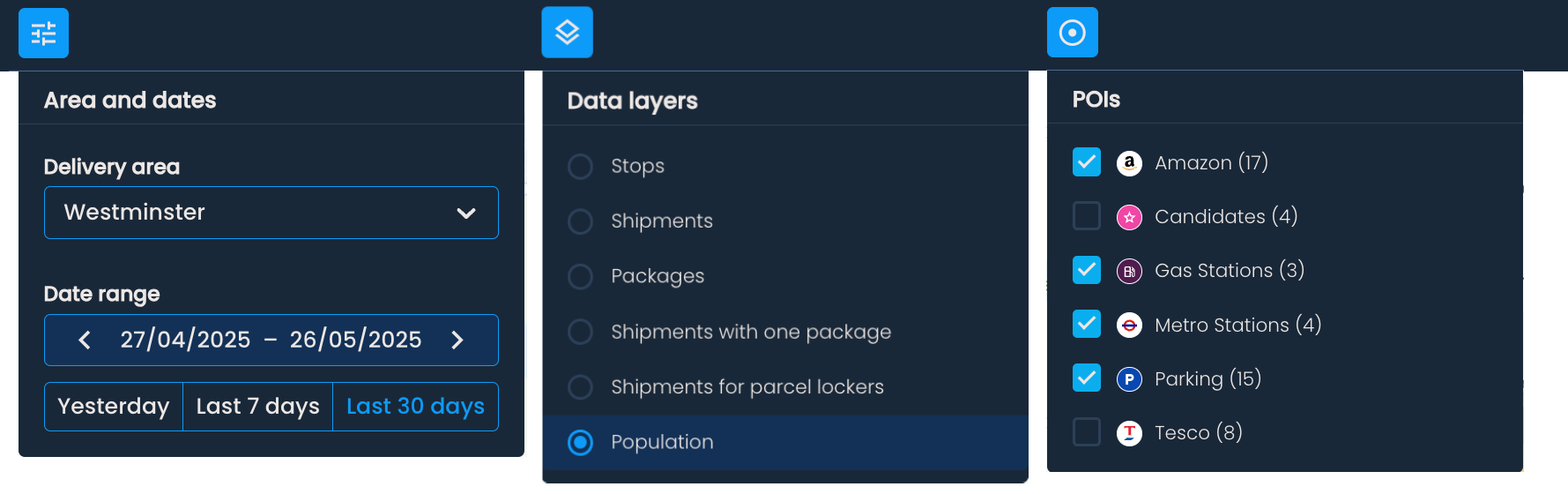
You’ll then be able to choose the desired date range and base layer for your analysis in the drop-down menu in the top-left corner.

Click the Show points of interest button and check the box next to the POIs you want to show on the map.
To get location suggestions based on POIs, click Generate > Generate locations on POIs.
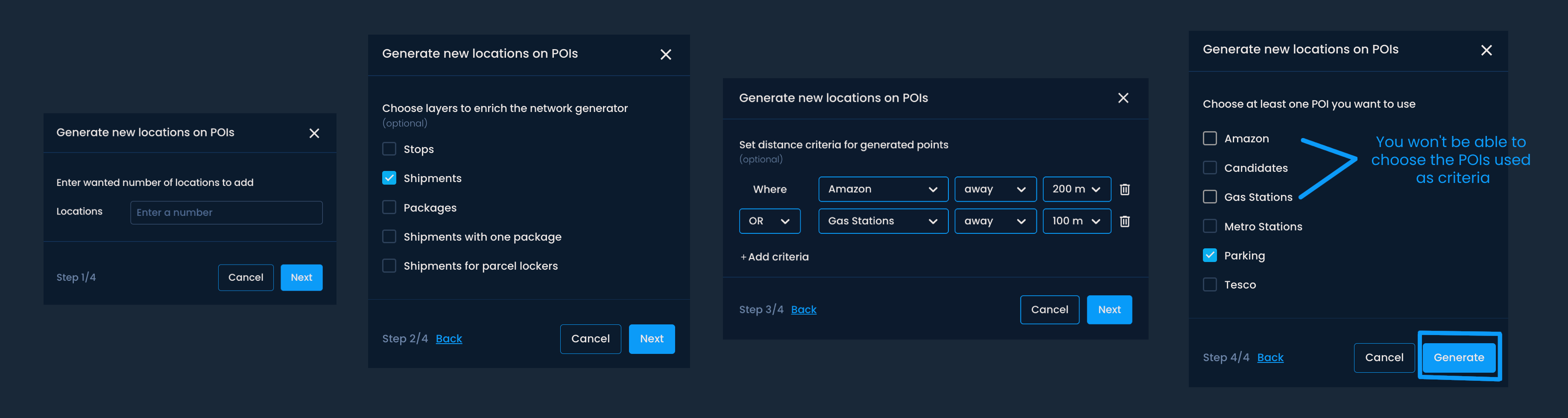
In the input field, enter the number of locations you wish to generate. Click Next.

Optionally, choose one or more enrichment layers to enhance your analysis. (These are additional data layers beyond your selected base layer.) If you don't want to use enrichment layers, click Next.
Optionally, you can set distance criteria to control how far generated locations should be from a specific POI.
Choose a point of interest, select either away or within, and a distance value from the drop-down menus.
You can add multiple criteria by clicking +Add criteria. Use the connector between rows to choose AND or OR logic:
AND → returns locations that satisfy all selected rows (intersection)
OR → returns locations that satisfy any selected row (union)
Mixed logic → for example, A OR B AND C is evaluated as A OR (B AND C)
When done, click Next to proceed.
Check the box next to the point of interest you want to base the generation on. You can choose multiple POIs.
Click Generate.
Once the generating process is complete, a notification will appear at the top of the screen showing:
Resulting coverage
Number of added locations
You can also check the Coverage menu for the estimated coverage. If you have an existing network in the delivery area, the estimated coverage includes the existing network's coverage and the potential coverage from generated locations.
The coverage from only the newly suggested locations is shown in the Selected locations menu.

Evaluating potential partnerships
If you're considering partnering with a gas station chain or a retail network, upload their locations as a POI collection and generate recommendations based on them. This gives you a data-driven view of which locations would bring the most value to your network.
Comparing competitor coverage
Load a competitor's locations as POIs and generate recommendations to see how their network compares to an optimal placement. Use population data as your base layer for the most meaningful comparison.
Narrowing down a large list of candidates
If you have a long list of potential partner locations, use distance criteria to filter them by proximity to specific points, such as existing OOH locations, before generating recommendations.
