Once you've selected the desired metrics, applied functions, and filtered your data, you have a complete analysis that provides valuable insights. You can use this as a foundation for deeper exploration or share it with others.

To export your report (xlsx format):
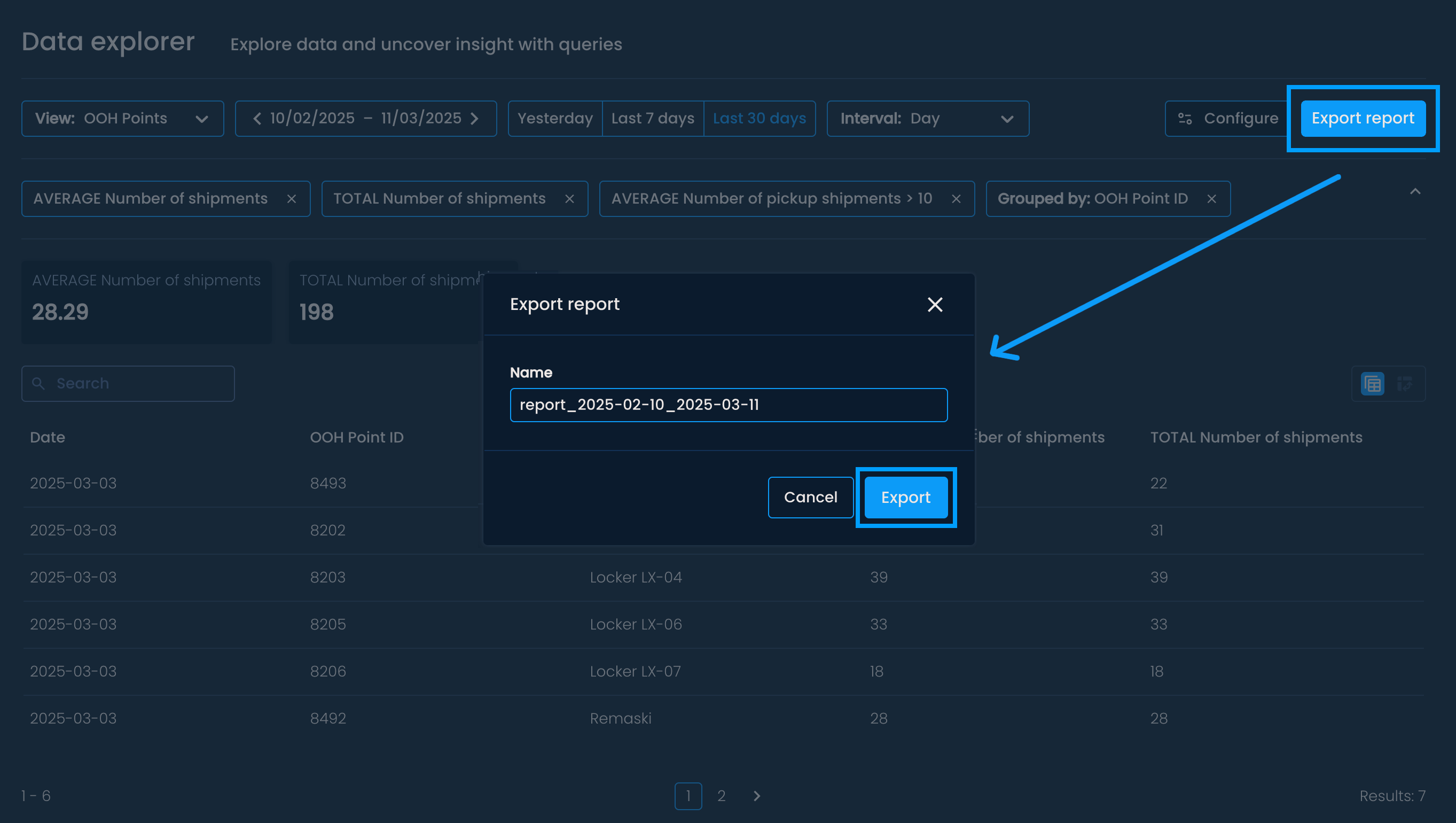
Click the Export report button in the top right corner.
Once the menu opens, name the file and click Export to download it.
Access the file from the browser's download history or designated Download folder.
Report structure
The exported file contains two sheets:
Query results –Displays the results of your customized query in columns, similar to the view on the platform.
Metadata – Includes details about the report:
Created by: The user who generated the report
Created on: The date the report was created
Date range: The chosen date range
Interval: The applied grouping interval (day, week, month)
