You can calculate the coverage of one or more locations, even if they’re not a part of your OOH network.
This means you can, for example, quickly evaluate partnerships with gas stations, shopping centers, and similar location providers and better understand competitors’ networks.
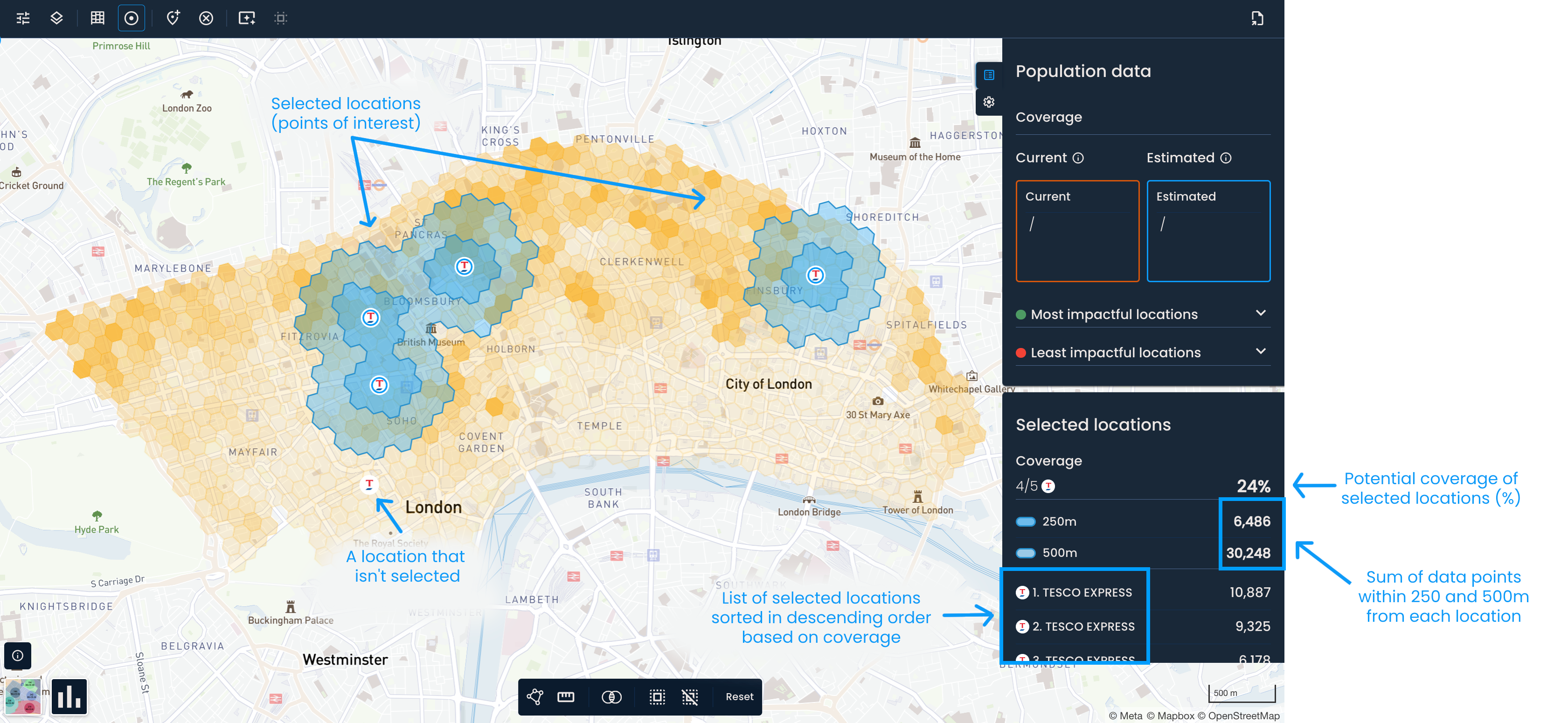
First, turn on parcel lockers and shops or points of interest. Once they show on the map, select the locations you’re interested in by clicking on them.
To select all locations shown on the map, click the Select all button in the toolbar at the bottom of the screen. To deselect them, click Deselect all.

This will activate the Selected locations panel, where you can find:
The number of selected locations by type
The coverage of selected locations in percentage
The sum of data points within 250 and 500m (or 5 and 10-minute walking distance) from each location
A list of selected locations and their coverage based on the largest distance (500m or 10-minute walking distance)
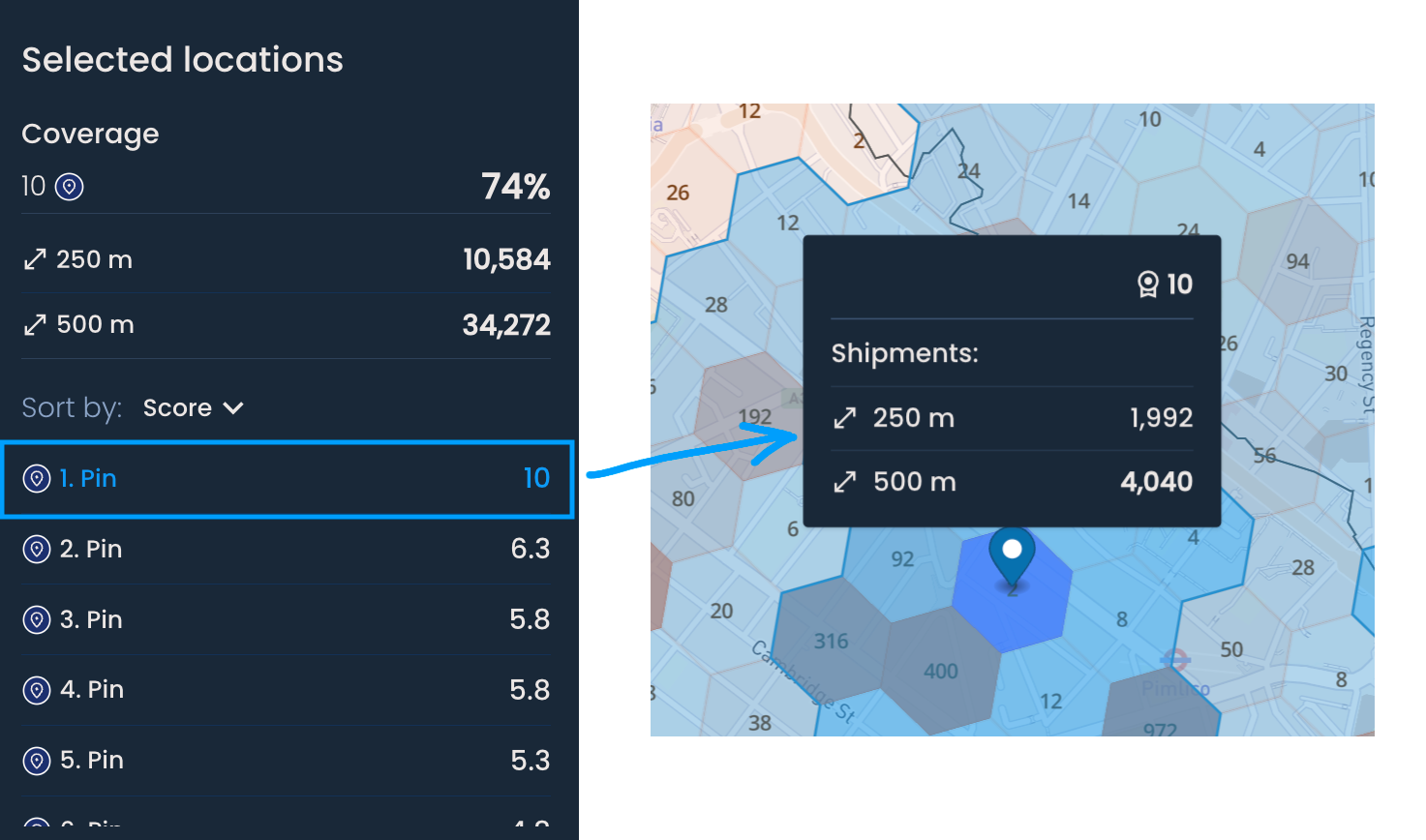
After generating suggestions or manually adding a distance pin, the Selected locations menu will activate. This is helpful if you want to understand the impact of new network changes (e.g., generated locations or manually added distance pins).

If you have used a weighted scoring model to generate new locations, you will find a ranked list of these locations by score in the Selected Locations panel. The scores range from 1 to 10, with higher scores displayed at the top of the list.