Country analysis lets you evaluate coverage and network distribution on a country level. Use it to get a high-level view of your OOH network's reach across the country and regions.

On the Geospatial analysis dashboard, click Add new analysis and choose Country analysis.
If you are subscribed to only one market, it will automatically load on the map.
The country will be divided into NUTS3 region boundaries, displayed in different shades of blue. Darker shades indicate a higher number of people present within that region. You can click on regions directly on the map to zoom in and view their relevant metrics in the Coverage overview panel.

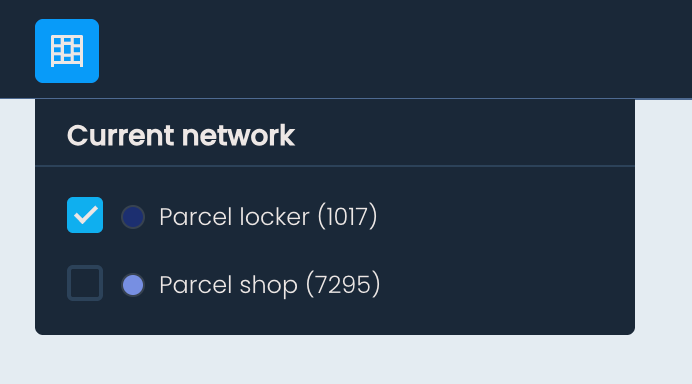
To overlay your existing OOH network on the map, click Show current network in the top toolbar, and select the type of OOH points you want to display – parcel lockers, parcel shops, or both. The selected locations will appear on the map.
Click on any OOH point to view its name, address, ID, and OOH type.
The Coverage overview panel gives you a summary of your network's reach and composition across the selected country. At the top, you will find the following metrics:
Coverage of all lockers and shops combined
Coverage of just parcel lockers
Coverage of just parcel shops
Number of people within reach of all locations
Total number of parcel lockers in the country
Total number of parcel shops in the country
Coverage is calculated based on population distribution data and a 500m radial distance.
Below these metrics, you will see a breakdown of regions by type: urban, suburban, and rural. Region types are defined based on the number of people within each region and are color-coded to help you quickly identify them in the list:
Urban – blue
Suburban – green
Rural – yellow
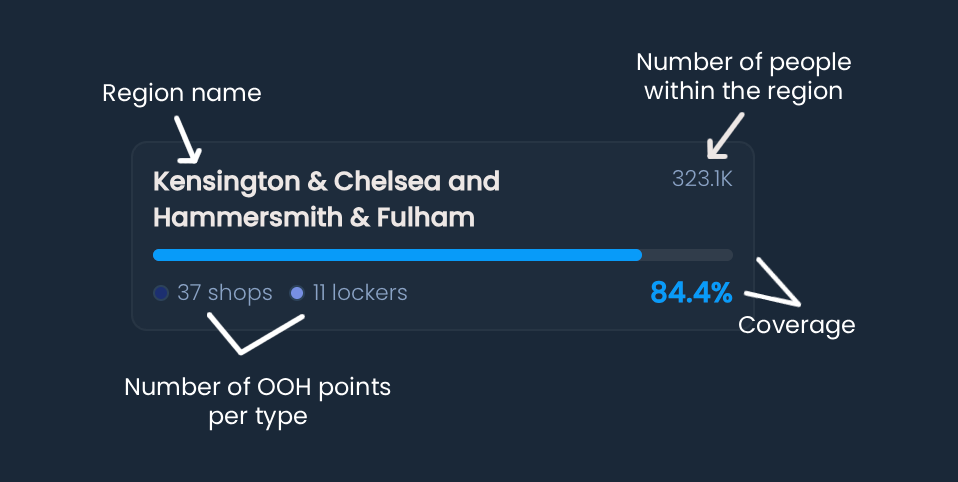
The Coverage overview panel also contains a list of all regions within the country. For each region, you can see:
Name of the region
Coverage percentage across all present OOH types
Number of each OOH type within the region
Number of people within the region
A vertical bar chart visually representing the coverage within the region (color-coded by region type)
Clicking on a region in the list will cause the map to zoom in on it.
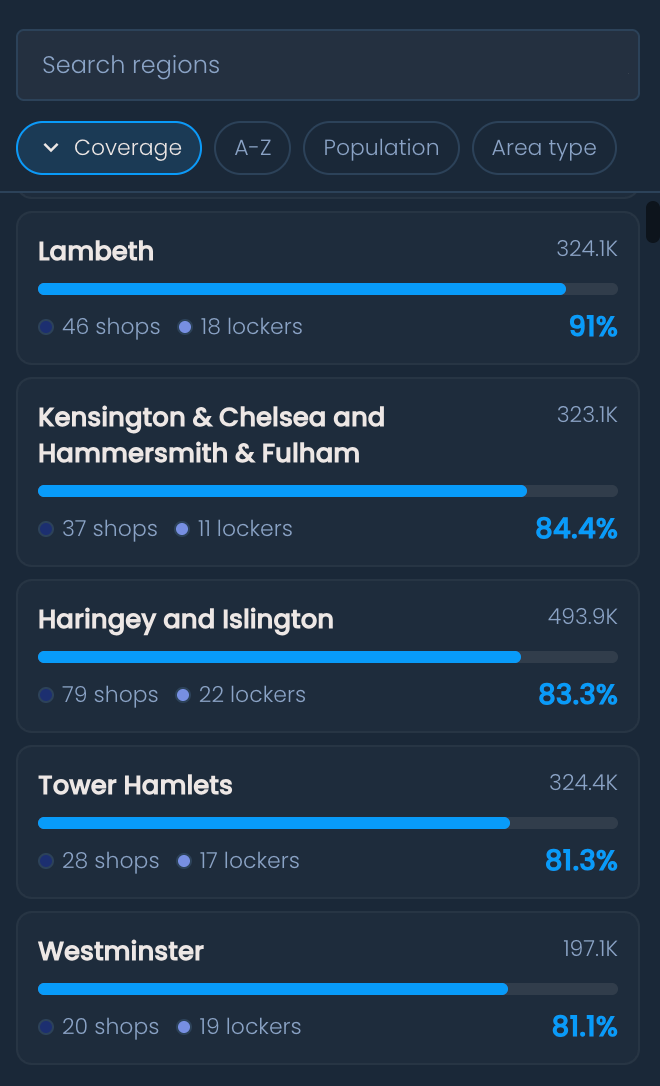
You can sort the region list by clicking the corresponding buttons above it:
Coverage – sort by coverage percentage
A–Z – sort alphabetically by region name
Population – sort by number of people within the region
Type – sort by region type (urban, suburban, rural)
You can also use the search bar above the list to find a specific region by typing its name.