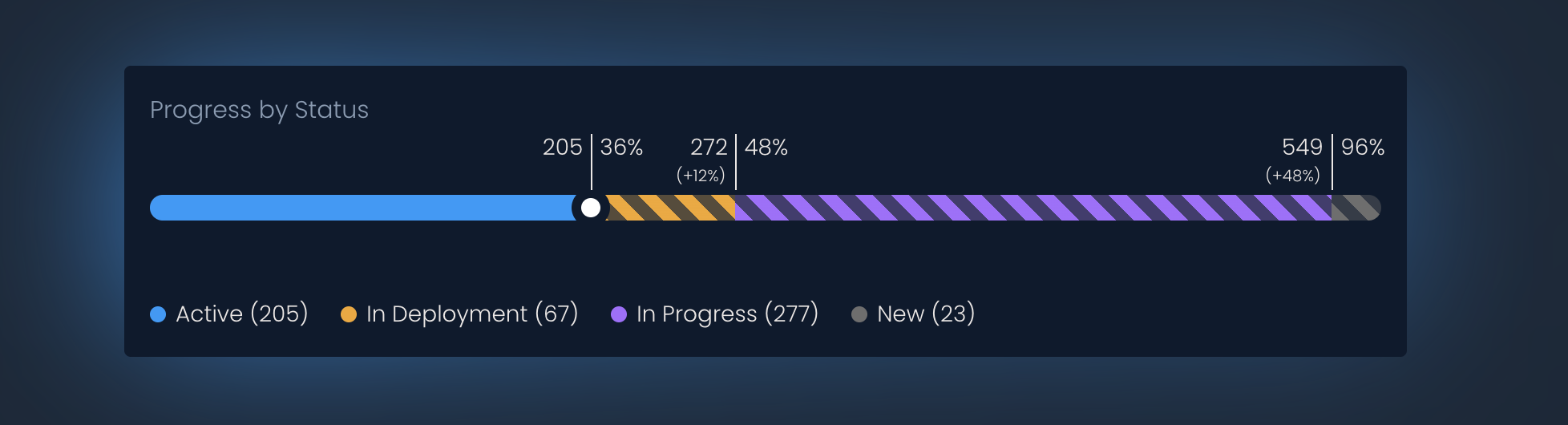
You can now track the progress of network buildout by creating POI collections from selected locations and assigning statuses that reflect their stage of development. These statuses are visualized as a progress bar on the Overview page.
To set the status:
Go to the Manage POIs page.
In the Actions column, click the three dots (⋮) next to the POI collection you want to track.
From the dropdown menu, select Set status.
A menu will open. Choose a status from the list:
No Status – (Default) No status assigned.
New – Leads or potential locations.
In Progress – Actively analyzing and evaluating locations.
In Deployment – Locations are confirmed, and installation is underway.
Active – Included in your current network and coverage.

Click Save to apply the status.
On the Overview page, you will see a progress bar showing the number and percentage of POIs in each status. This provides a quick snapshot of how your network is developing.