Access the Hub management page from the side navigation menu.

Then, click Add new hub.
A map with a pin placed in the middle will appear.
To indicate the city where the hub is situated, simply drag the pin to the desired location on the map. You may need to zoom in to see the exact location of the hub. Once you have found the right spot, position the pin again. At the bottom of the screen, you will be able to view the longitude and latitude of the location where the pin is placed.
Click Save once you’re satisfied with the position of the pin.
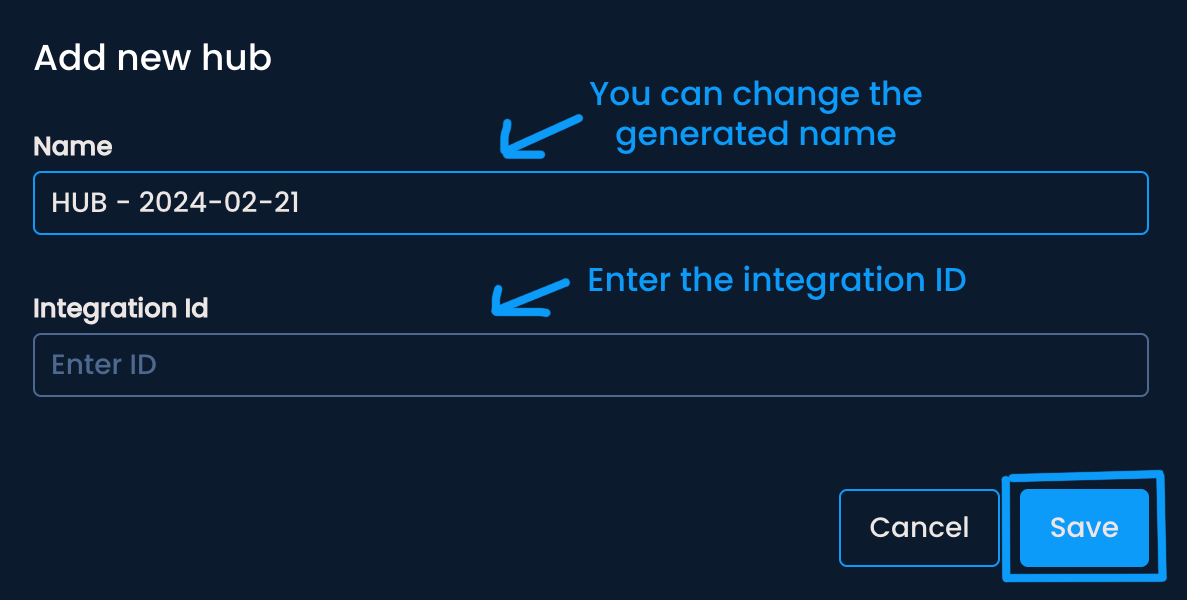
A menu with two input fields will appear. The hub name is automatically generated as HUB-YEAR-MONTH-DAY. You can change the name to something more specific. In the input field below, enter the Integration ID, which serves as a link between the platform and your organization’s tools. Then, click Save.
Saved hubs will be visible on the Hubs management page and will be referenced across the platform to users with granted access.
